QUICK STEPS: When there is a work blocking incident such as: unable to access Care Hub, unable to send IAM or SMS messages, Care Hub is running too slowly to complete work:
- The First step is to give this 2-10 minutes to see if the issue fixes itself.
- Restart your Macbook, clear cache and cookies.
- Restart Netskope.
- Notify and tag the most applicable group for you: @pt_managers @memanagers @coachmanagers in one of the channels below. This will help increase visibility and see if your team is also experiencing this and how widespread it might be.
- If needed your manager is advised to start Page an Incident Manager on #care-hub-incident-care-teams
- Your manager will post a Slack thread on the channel with the following link: Page an Incident Managerand tag @internal-tools
- Then click Start Workflow
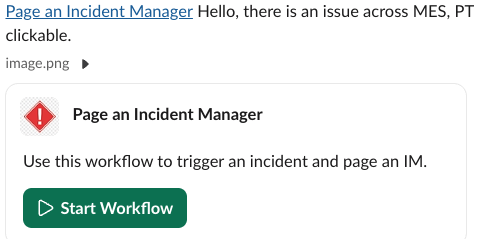
- Then click Start Workflow
- Your manager will post a Slack thread on the channel with the following link: Page an Incident Managerand tag @internal-tools
- HERE is a LINK to the process with more detail.
Was this article helpful?
That’s Great!
Thank you for your feedback
Sorry! We couldn't be helpful
Thank you for your feedback
Feedback sent
We appreciate your effort and will try to fix the article